Money
Payroll
Review teacher and staff pay, filter the list, pay safely, and fix mistakes.
Current screens
These images use the current English interface. Student and trial-customer details are replaced with demo labels.
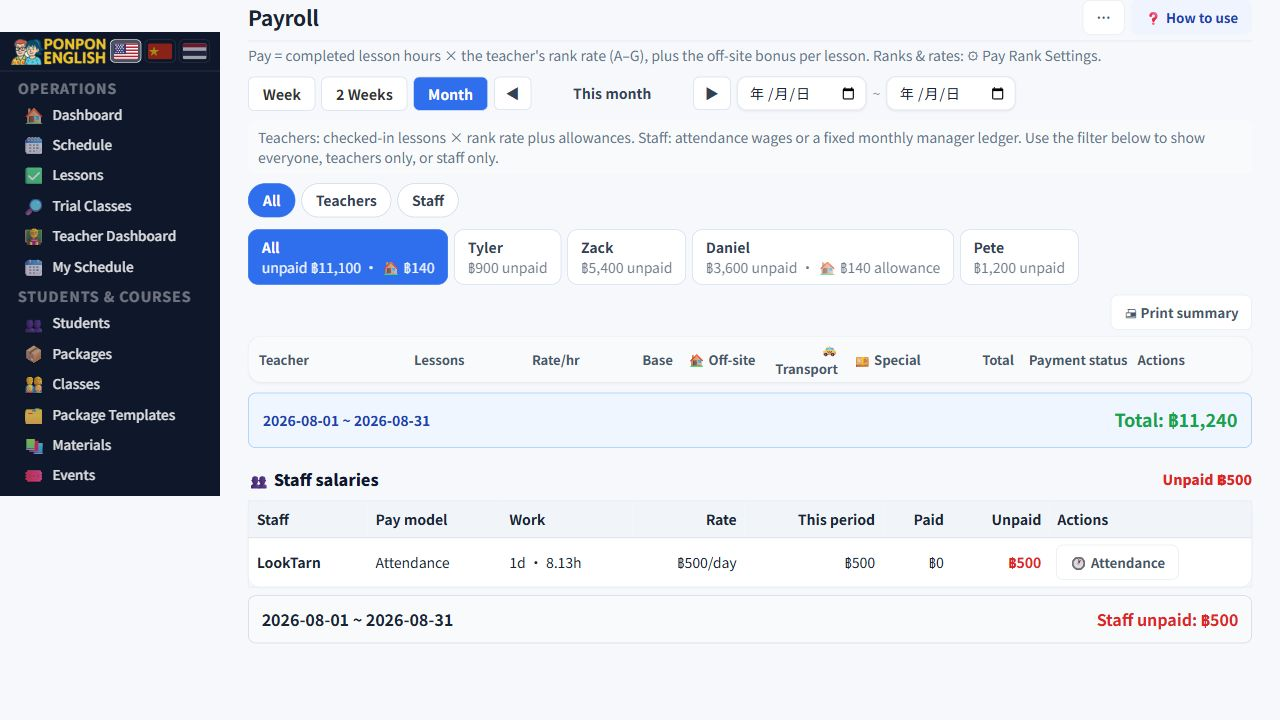
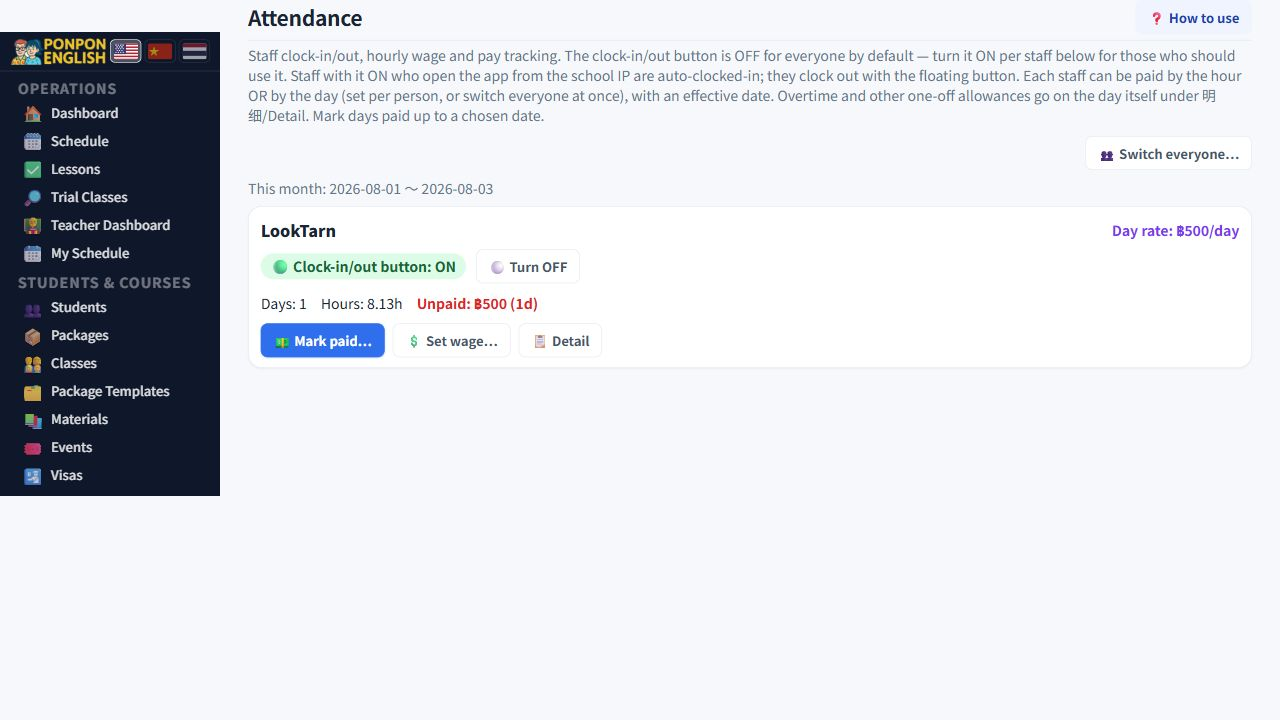
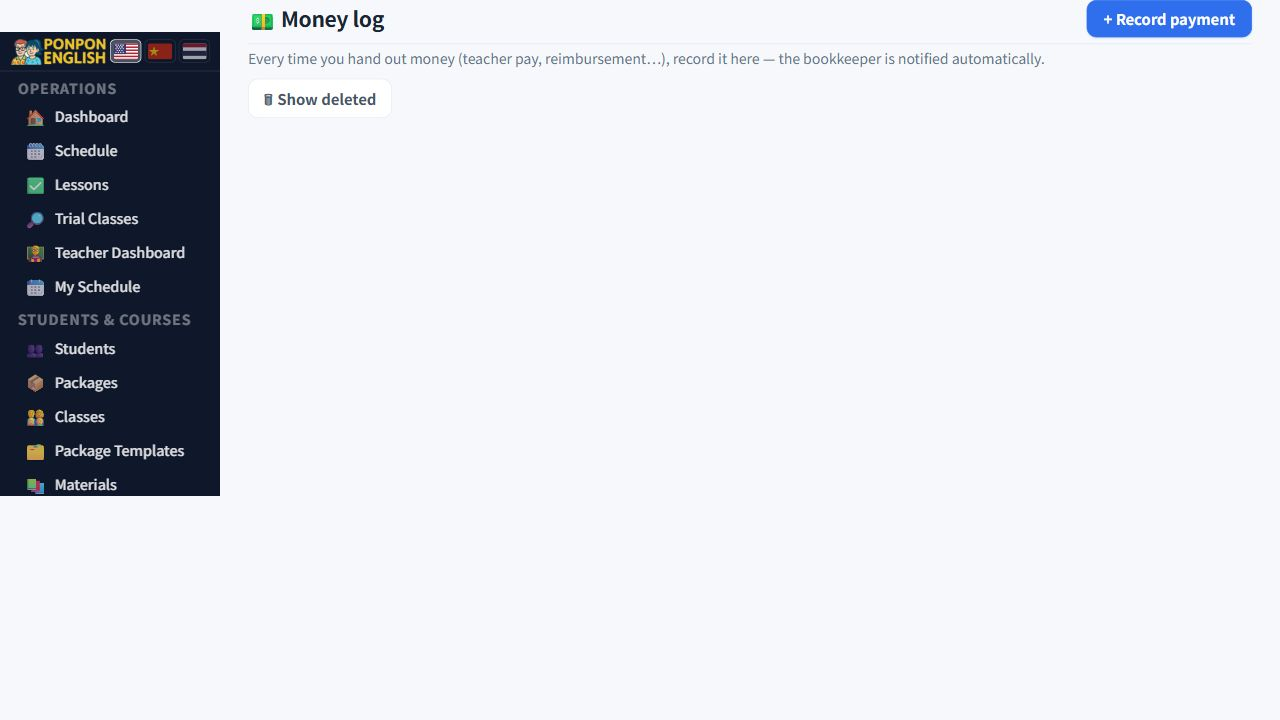
Payroll
Work out what teachers and staff are owed, pay them, and keep the record straight.
Open 财务→工资: the finance group, then payroll. This is the page where a mistake costs real money. Read all of it before your first payment run.
Owners, managers and senior staff can open payroll for everybody. A teacher can open only their own payroll, and cannot see payments, accounting, reports or course packages. Junior staff cannot see this page at all.
What a teacher is paid
| Part of the pay | Where the figure comes from |
|---|---|
| Base pay | The teacher's rank and hourly rate, multiplied by the hours of their completed lessons. |
| Off-site allowance | Added when the teacher teaches away from the school. |
| Transport | The travel cost of getting to the lesson. |
| Special payment | Any extra amount you agree, such as a one-off bonus. |
A lesson that was taught but never marked as completed is invisible to payroll. If a teacher says hours are missing, check the lesson records first. Do not add the missing money as a special payment. Fix the lesson, and the hours appear where they belong.
All, Teachers and Staff
The three filters at the top decide whose pay is shown. All shows both teacher and staff obligations, Teachers shows lesson-based teacher pay, and Staff shows attendance wages and fixed monthly staff salaries. Use Staff to find LookTarn and other non-teaching staff; do not create a teacher record just to make a salary visible.
Inside Teachers, the all-teachers tab shows one row per teacher. A single teacher tab lists every one of that teacher's lessons, each marked paid or unpaid. This is where you actually pay a teacher.
Attendance-paid staff are calculated from attendance. Fixed-monthly staff are calculated from their staff ledger. Payroll brings those figures into one view; it does not copy or recalculate them with a second formula.
Pay a teacher
- Open the tab for that teacher.
- Read the list and find the unpaid lessons for the period you are paying.
- Select the lessons you are paying now. The total is calculated for you.
- Check the withholding tax. The system suggests it from that teacher's own setting. Change it only if you know the correct figure for this teacher.
- Record the payment.
When you save, two things happen on their own. An entry is written into 给钱记录 (the money log), and the bookkeeper receives an email. You do not need to tell the bookkeeper separately, and you must not write the same payment into the money log by hand. That would count the money twice.
Allowances before base pay
Allowances do not have to wait for the monthly run. You can pay an allowance separately, and earlier than the base pay, for example when a teacher paid transport out of their own pocket today. The allowance is then already settled when you do the main run.
The payslip
Print a payslip for the teacher. It carries a signature line, so the teacher signs when receiving the money and you keep the paper. Print it before you hand over cash, not after.
Fixing a payment run
If you delete it, the lessons inside stay marked as paid while the money record disappears. The teacher then looks unpaid on paper, those lessons cannot be selected again, and the totals no longer match. Instead use the button that changes the batch back to unpaid. The lessons return to the unpaid list, and you simply record the payment again with the correct figures.
Confirm every lesson of the month is completed, read the all-teachers tab, pay each teacher from their own tab, then print and collect the signed payslips.