Money
Reports and accounting
Read revenue, student numbers and the accounting dashboard without misreading them.
Current screens
These images use the current English interface. Student and trial-customer details are replaced with demo labels.
Reports and accounting
Revenue over time, student numbers, and the profit and loss.
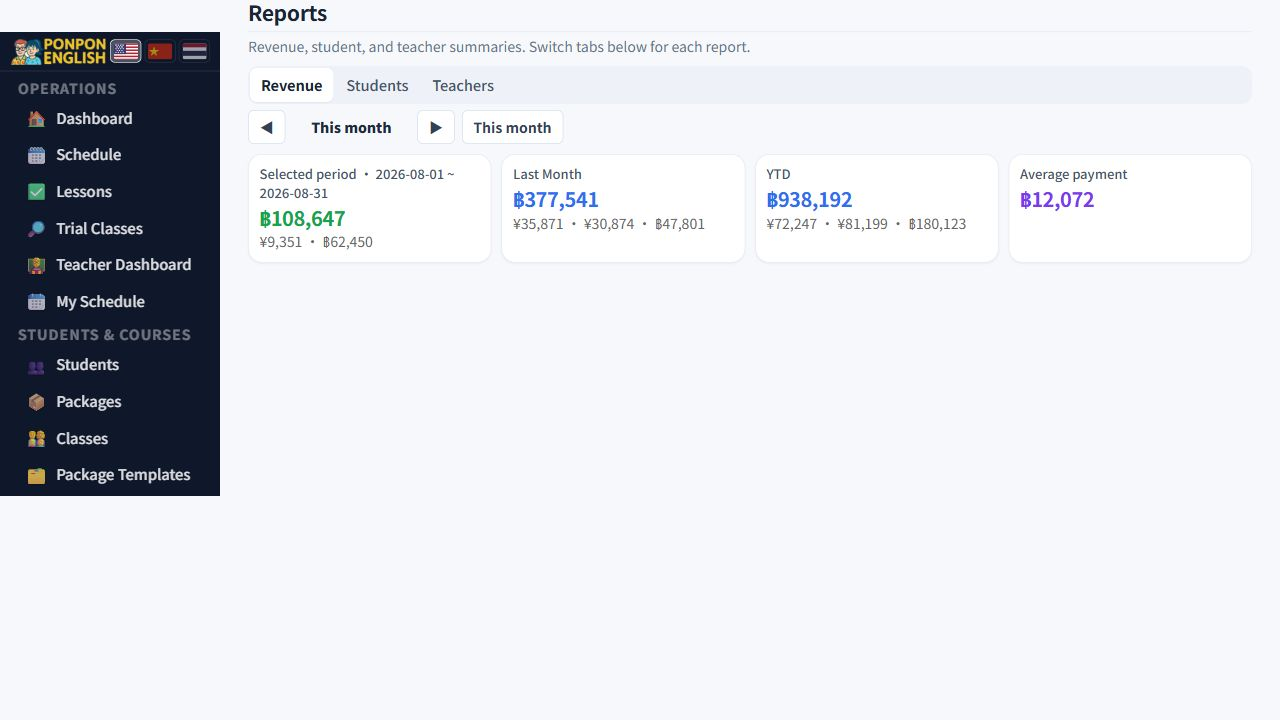
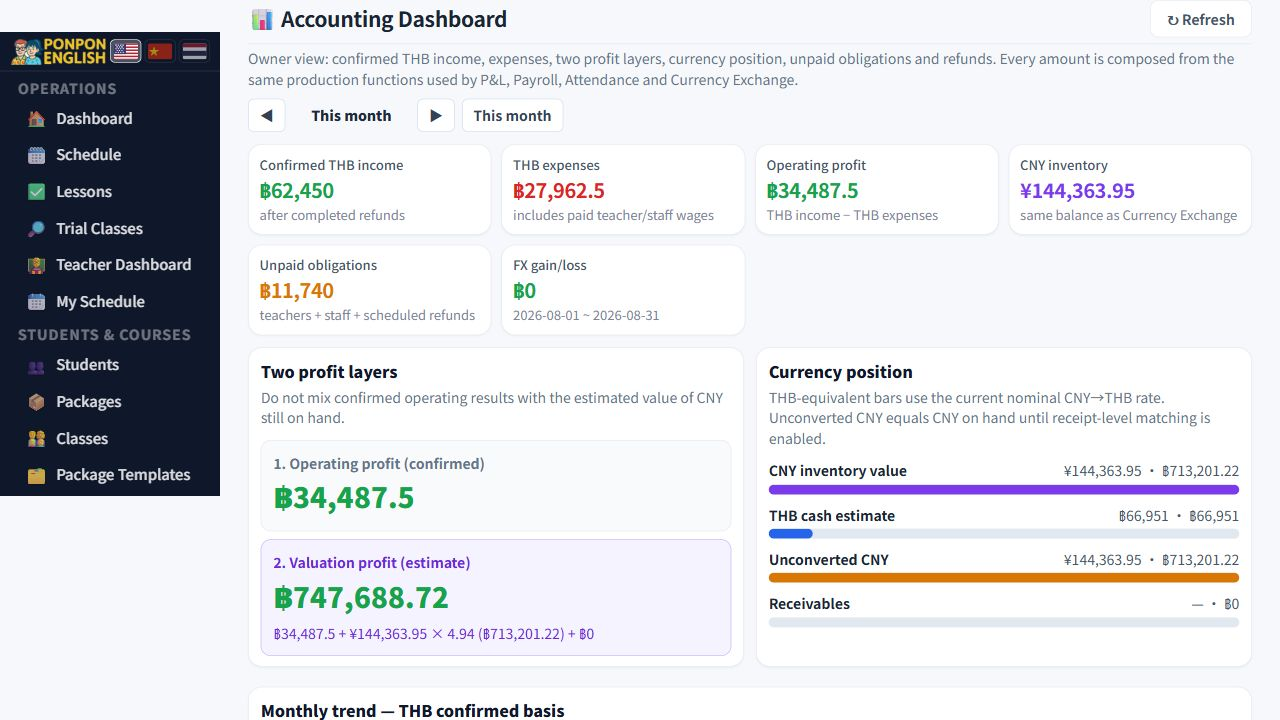
Open 财务→报表 (finance, then reports) and 财务→Accounting Dashboard. Reports show trends in recorded income and student numbers. The accounting dashboard composes the same P&L, Payroll, Attendance and Currency Exchange sources into one owner view. Read confirmed operating profit separately from the estimated THB value of CNY inventory.
Owners, managers and senior staff. Teachers and junior staff cannot see reports or accounting. Nothing here is typed in: the figures come from what everybody else recorded during the month.
Revenue over time
This shows money coming in, period by period. Use it to see the shape of your year: which months families pay in, and what happens after a holiday. A drop here is usually about enrolment or timing, not about cost.
Student counts
This shows how many students the school has over time. Read it beside revenue. Growing student numbers with flat revenue means your prices or your package mix have changed. Flat student numbers with growing revenue means families are buying more.
The two profit layers
Operating profit is confirmed THB income minus recorded THB costs. Valuation profit then adds the estimated THB value of CNY still on hand, plus separate exchange gain or loss and event profit. The second line is an estimate, not extra cash received.
The revenue tile on the dashboard counts money received. It does not subtract wages or any other payment out. A large revenue tile and a thin profit are perfectly possible in the same month. Never report the tile as profit.
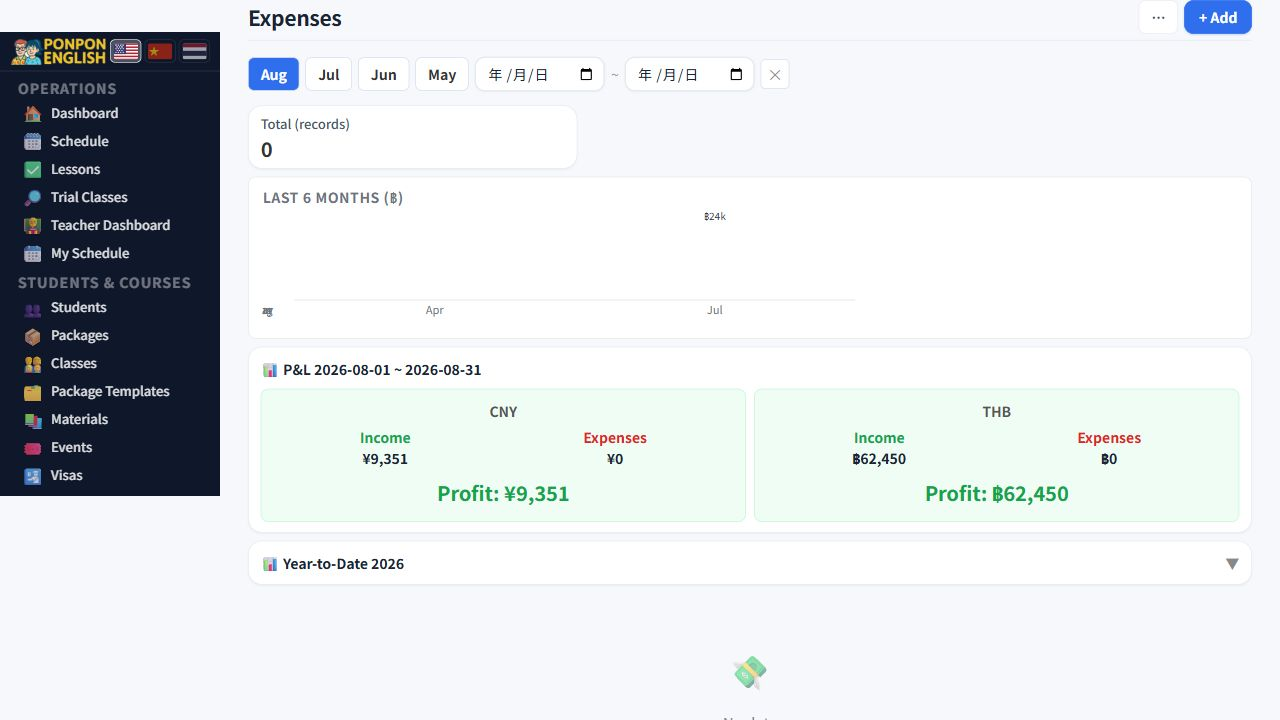
Because the profit and loss depends on payments out, it is only as good as the records behind it. Payroll runs, attendance payments and every entry in 给钱记录 (the money log) feed into it. A wage paid in cash and never recorded makes the school look more profitable than it really is.
Currencies
Families pay in different currencies. Keep THB and Chinese-currency figures separate while you review them. CNY and legacy RMB refer to the same Chinese currency; the accounting dashboard combines them when reading reports, while the permanent storage clean-up remains a later phase that requires a backup. Record each real exchange on 人民币换汇 (currency exchange), so exchange gains and losses have evidence behind them.
A monthly routine
- Check that every payment received during the month was recorded on 收款 (payments).
- Run payroll and mark attendance periods as paid, so wages exist as records.
- Record any other payment out in the money log.
- Record any currency exchanges you actually made.
- Run 数据一致性 (data consistency), note any mismatch, then review the profit and loss currency by currency.
Did more money come in than last month, and did more money stay in the school after recorded costs? The first is revenue. The second needs a checked, currency-aware profit review.