Simple guide
A quick, easy overview.
Getting started
The full school cycle in one map, from first enquiry to month end.
Watch the system
Start with the Simple guide for a quick overview, then use the Detailed guide for the complete step-by-step process. Both are available below.
A quick, easy overview.
The full process, step by step.
These images use the current English interface. Student and trial-customer details are replaced with demo labels.
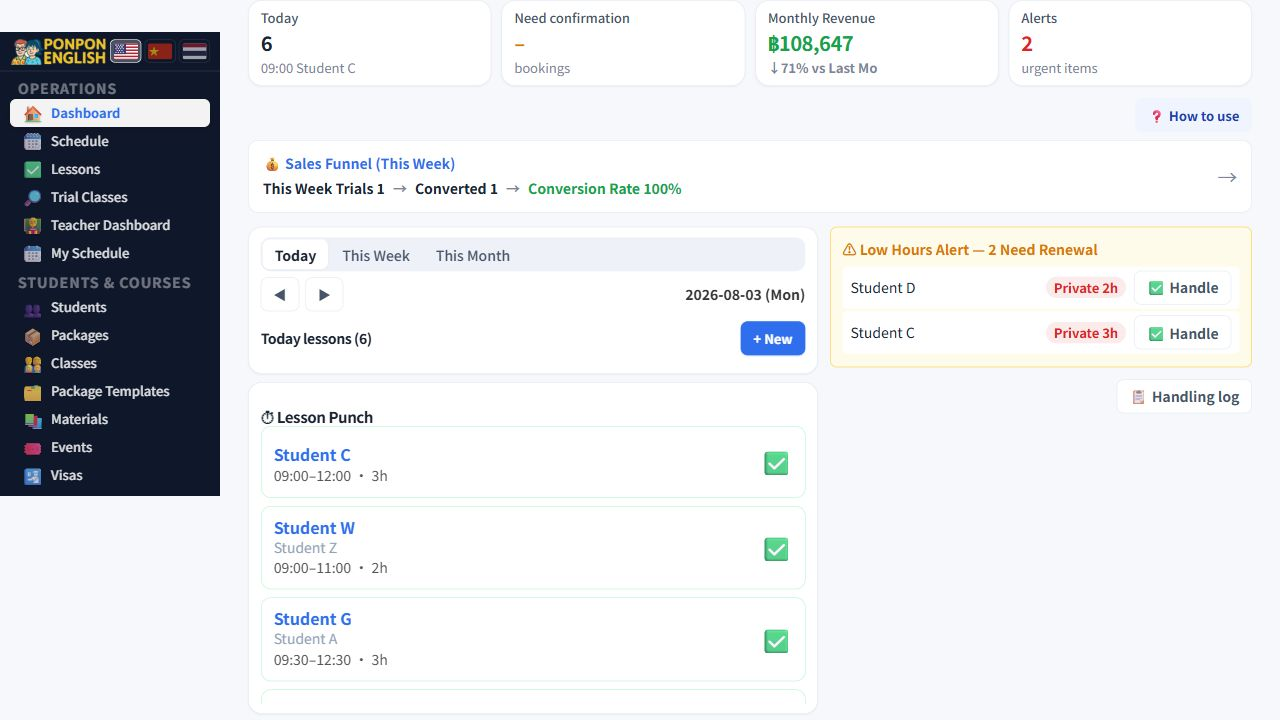
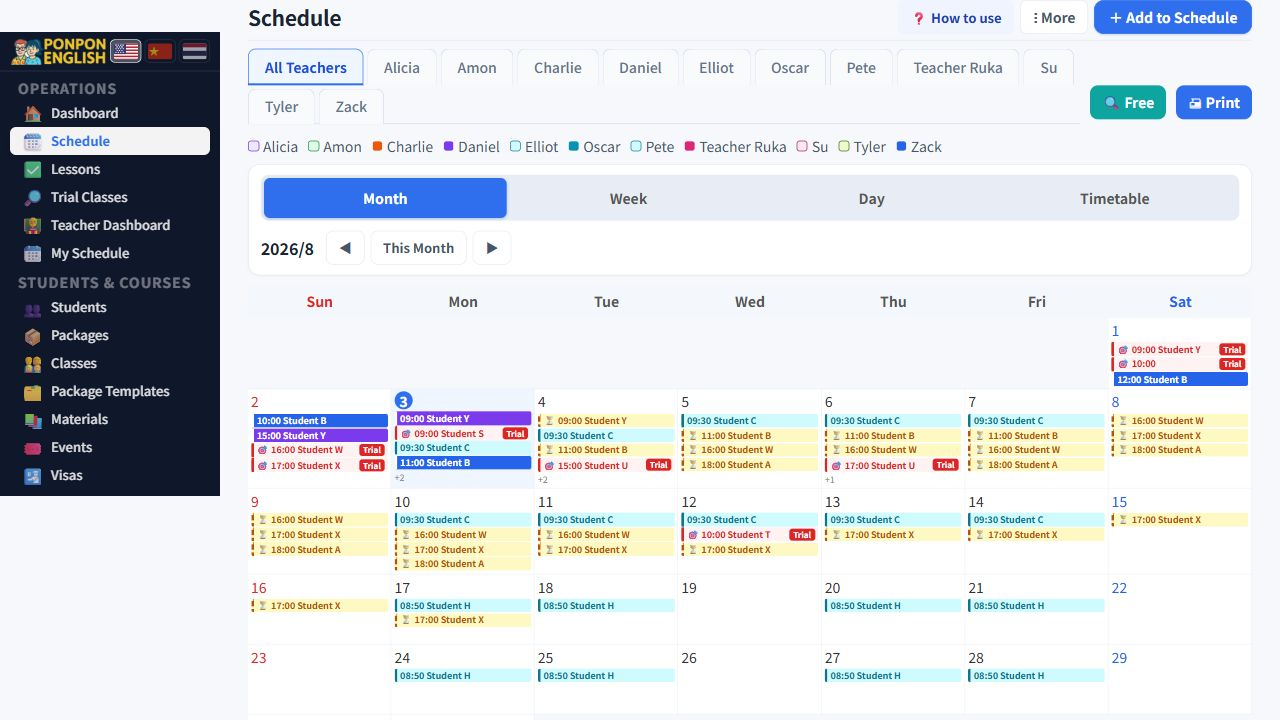
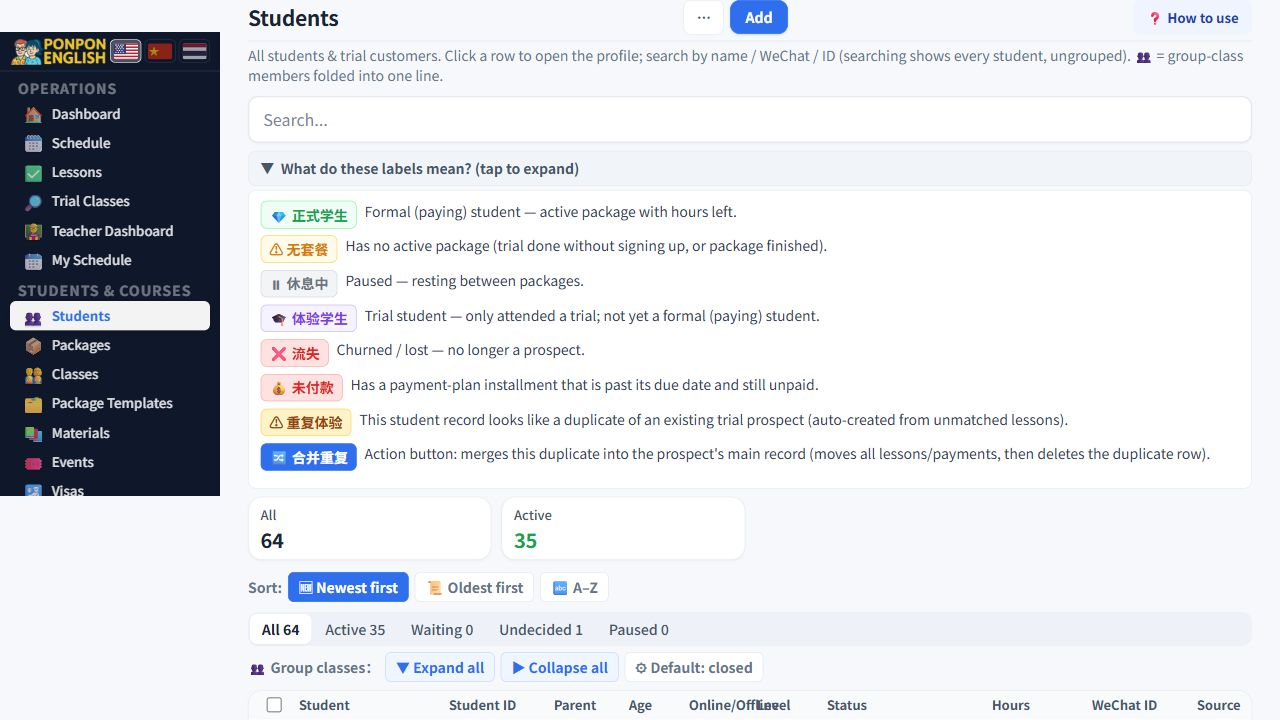
You run the whole cycle. This page is the map.
As senior staff (高级员工) you have all eleven permission areas turned on. In daily practice you can do everything the owner can do. The two exceptions are 设置 (settings) and 数据一致性 (data consistency), which need a WordPress administrator account.
This page does not teach each screen in detail. It shows the order of the work, so you always know what comes next. Each step below has its own detailed page.
The sidebar is grouped by the kind of work, not by screen name. Learn the six groups once and you will stop hunting for pages.
| Group | Use it for |
|---|---|
| 日常运营 (daily operations) | What is happening today. Lessons, bookings, alerts. |
| 学生·课程 (students and courses) | Student records, trials, course packages. |
| 财务 (finance) | Payments in, teacher pay out, accounting, reports. |
| 管理 (admin) | Teachers, staff and permissions. |
| 账户 (account) | Your own login and profile. |
| 系统 (system) | Settings and system checks. Administrator only. |
Every student follows this path. Follow it in this order and nothing gets lost.
Almost every number in the system comes from lessons marked done with 打卡 (mark a lesson done). If teachers forget, student remaining hours are wrong and teacher pay is wrong at the same time. Check unmarked lessons regularly and remind the teacher, do not silently fix it at month end.
Remaining hours come from the package card on the student profile. Teacher money comes from payroll. Profit comes from the accounting profit and loss. When two screens disagree, an administrator opens 数据一致性 (data consistency), which compares them for you.
The dashboard no longer shows a separate Today's tasks checklist. Start with the four number tiles, then handle the booking queue and any alert sections that need a decision.
Use 日程 (schedule) for the day's timetable, and mark each completed lesson with 打卡 so hours and pay stay accurate.